AI Chat Assistant
The AI Chat Assistant is the conversational way to use ReferralPulse. You ask it a question or tell it to do something, and it answers or performs the action. It's faster than the forms for almost everything, especially on mobile, and it's the primary interaction model on the iOS app where you can talk to it instead of typing.
You don't need to learn what to ask. Speak the way you'd describe the situation to an assistant who already knows your network. The chat figures out which feature you need and either does the work or asks the one or two follow-up questions it needs.
Where to find it
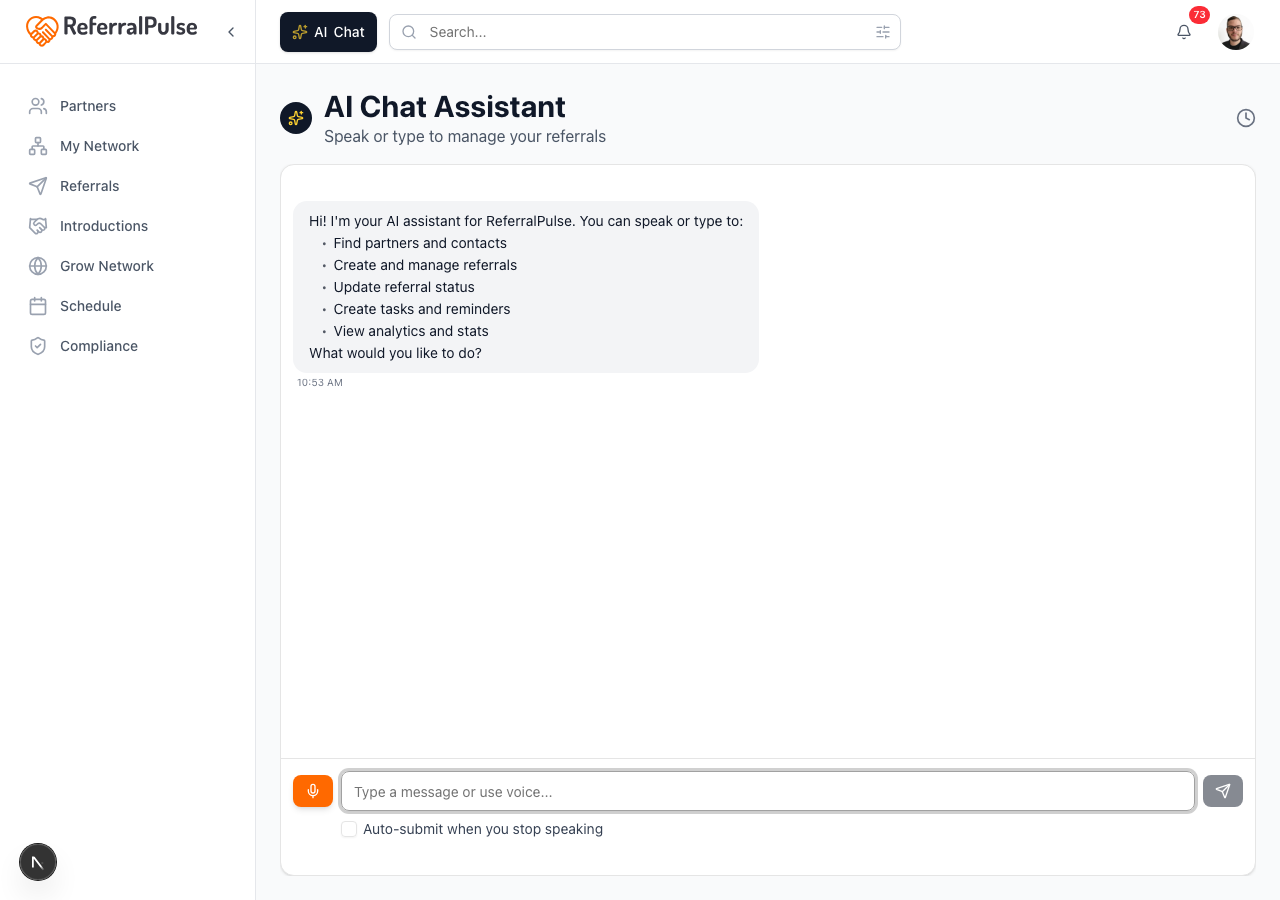
Where to find it: The dark Ask button in the bottom right corner of any page. It carries your assistant's name (for example Ask Nora) and a sparkle icon. On the Home page there's no floating button; the message field at the top of the page opens the same chat.
You can also type a question into the search bar at the top of any page. When nothing in the app matches, choose Ask the assistant in the results and the question is handed to the chat.
Direct URL for the standalone chat page: /dashboard/voice-chat. On the iOS app, it's the Chat tab in the bottom navigation.
How to ask things
The input bar at the bottom has a microphone (orange when listening) and a text field. You can:
- Tap the microphone and speak. The assistant transcribes you in real time and drops the text into the field. When you stop, a "Ready to send" note appears and you tap the send button. Tick the Auto-submit when you stop speaking checkbox under the input and it sends on its own after a short pause, so you never touch the screen (useful when your hands are busy).
- Type into the field if you can't speak out loud (in a meeting, in a quiet office, on a flight without a mic). Press Enter or tap the send button to submit.

There's no command syntax to learn. The assistant figures out intent from natural phrasing. Answers appear as they're written, so you can start reading before the reply finishes, and you can type your next message while the assistant is still working.
Several things in one message
You can pack more than one action into a single message and the assistant handles each one. Say what happened the way you'd tell a colleague:
Log a call with Tom Jones about his succession plan, set Bill Smith's birthday to March 14, and update Patricia Hoffman's ideal client to founders selling a business.
The reply lists what it did, one line per action. If one part can't be done (say, a detail with no place to store it), the assistant says so for that part and still completes the rest.
Birthdays are kept as month and day only. If you include the year, the assistant saves the date and tells you it left the year off.
What you can ask it to do
The assistant can do almost anything you'd otherwise do by clicking through the app. The patterns below are not an exhaustive list, just the most common.
Add and find partners
Add Sarah Chen as a partner, she's a CPA at Smith and Co in Tampa, met her at Provisors last Tuesday.
Find Marcus Johnson.
Show me my CPAs in Florida.
Who is my best partner in Ohio?
Who are my Inner Circle partners?
Log and update referrals
Sarah Chen referred a client named Mark Watts at ABC Corp, his email is mark@abc.com, project around 25 thousand.
Send a referral to Marcus Johnson for a client called Lisa Pham, lisa@phamlaw.com, family law matter.
Mark the Watts referral as won. Note: kickoff meeting is Tuesday.
What's the status of the Pham referral?
Link the Watts referral to HubSpot deal 5551212.
The commission on the Watts referral has not been paid yet, please mark it as not received.
Log calls and emails
Log that Patricia Hoffman called me yesterday about her estate plan.
I emailed Marcus Johnson about the Reyes engagement this morning.
Make introductions and keep them current
Introduce Sarah Chen and Marcus Johnson, they should know each other.
Draft an intro between James Doyle and Linda Tanaka.
After an introduction goes out, tell the assistant what happened next and it updates the record:
Sarah Chen and Marcus Johnson met last Tuesday.
Marcus replied to the intro.
I thanked Sarah Chen for the intro.
Check on the network
How many open referrals do I have?
Who's been quiet, that I should reach out to?
Show me my top connectors, ranked by the revenue their introductions produced.
Show me referrals over fifty thousand.
Did anyone ever mention a family office in an email?
Your strategy: action plan, pulse, and gaps
The Strategy pages are all reachable from chat. Asking to see them reads the content into the conversation; asking to open them takes you to the page.
What's on my action plan?
Draft the email for step 1.
Mark step 2 done.
How is my network doing?
Why is my pulse score what it is, and what is dragging it down?
What gaps are in my network?
Invite someone to fill my biggest gap.
When you ask about your pulse, the reply lists the factors behind the score with the weakest first, so you know what to work on. When you ask the assistant to fill a gap, it drafts the connection request for the best match and shows it to you before anything is sent.
What needs your attention
What needs my attention?
What do I need to do for Maria?
Draft the thank-you for Patricia Hoffman.
Make the note to Sandra shorter, and mention the Denver project.
Snooze the Marcus Johnson reminder for a week.
Name a partner and it scopes the answer to just them, the same list you would see in that partner's own Action Items section, buttons included. If more than one partner matches the name, it lists them and asks which one instead of guessing.
Once a draft exists, telling the assistant what to change edits that draft rather than writing a new one, so any wording you had already fixed yourself stays. It is the same edit the Tell [your assistant] what to change line at the bottom of a draft does.
Inbox review
What is in my inbox review right now?
Show me the introductions received waiting in my inbox review.
Dismiss the review item from Wendell Trask, it is spam.
Accept the referral from Sarah Chen in my inbox review.
Meetings: notes, action items, and prep
What meetings do I have coming up?
Summarize my last meeting with Marcus Johnson.
What were the action items from my meeting with Marcus Johnson?
Prep me for my next meeting with Sarah Chen.
Which of my meetings were recorded and transcribed?
Send connection requests and emails
Invite Sarah Chen to connect on ReferralPulse.
Draft a thank-you email to Patricia Hoffman for the Greenmark referral.
Schedule and tasks
Add a task to call Robert Ashford about the M&A engagement on Friday.
What's on my plate today?
Show me tasks for my Inner Circle partners.
Your own profile and settings
What's my elevator pitch?
Update my ideal client to: founders selling a business.
Change my conversational tone to casual.
Is my email connected?
Navigate
Open my partners page.
Take me to the Network Gaps page.
Open my inbox review.
Take me to compliance arrangements.
Analytics and reporting
What's my conversion rate this quarter?
How many referrals did I have last quarter?
How many referrals did I get in 2019?
Give me my overall stats for the last 30 days.
How much commission am I owed this month?
How much revenue from each tier this year?
Any report question takes a time period: this week, last month, this quarter, last year, a specific year, a specific month, or "the last 30 days." When you name a period, the reply repeats the exact dates it used.
The assistant remembers context within a single conversation. After you say "what's the status of the Pham referral?", you can follow up with "mark it as won" without naming the referral again. It also handles ambiguity. If you say "the Smith referral" and there are two clients with that last name, the assistant lists them and asks which one you meant.
Filtering by partner tier
If you've organized your partners into tiers, you can filter almost any query by tier. Use your tier names naturally in the request:
Show me my Inner Circle partners.
What referrals came from my Active Partners this month?
Who are my top connectors in the Inner Circle?
Show me tasks for my highest-tier partners.
How is each tier performing this quarter?
The assistant understands phrases like "top tier" or "highest tier" (your tier with the highest sort order) and "lowest tier" or "newest tier" (the tier with the lowest sort order). You can also ask for partners with no tier by saying "untiered partners." "Group" and "category" work as synonyms for tier.
For a side-by-side comparison of how each tier is performing, ask for a tier breakdown:
Compare my tiers.
Show me a tier breakdown for this year.
Are my Inner Circle partners outperforming the others?
The breakdown shows partner count, referral activity, revenue, conversion rate, and recent engagement for each tier so you can see at a glance where your strongest relationships are producing results.
You can manage the tiers themselves from chat too:
What are my tiers?
Move Sarah Chen to Inner Circle.
Create a tier called Referral Sources.
Rename the Prospects tier to Warm Leads.
Make the Referrer tier emerald.
Put Inner Circle at the top.
Your assistant does not delete tiers. If you ask it to delete, remove, or archive one, it tells you where to do it yourself: on the Partners Board, open the actions menu (⋮) on that tier's column header and choose Delete tier. The board asks where the tier's partners should go before it removes anything.
Emails are always drafts until you tap Send
Your assistant never sends an email on its own. Every introduction, connection request, thank-you, and invitation appears first as a draft card in the conversation with the recipient, the subject, and the full text. You can edit it, send it, or cancel it. Nothing goes out until you tap Send on the card, even if you say "yes, send it" in the chat.
Saying "send it" after a draft brings the card back to the top of the conversation so you can review it once more. The send still happens from the card.
When it can't do something
If you ask for something the app doesn't do (say, checking the weather, or exporting your partners to a spreadsheet), the assistant says so plainly instead of pretending. Where there's a real alternative in the app, it points you to it. It won't invent a feature, a number, or a result it didn't actually look up, and it won't report an action as done unless it was.
Rich responses
When the assistant returns information, it doesn't just text you back. Where appropriate, it shows a rich card you can act on inline.
- Partner results. Tap a partner card to open their profile, send a referral, or invite them to connect.
- Referral cards. Each result shows the client, partner, status, value, and inline buttons to update status or open the detail page.
- Introduction drafts. When you ask the assistant to draft an intro, it shows the proposed email with Edit, Send, or Cancel buttons before sending anything.
- Network requests. Connection request and invite drafts show the proposed message and the recipient before you send.
- Action plan steps, review items, and attention items. Each shows as a card with the same buttons you'd find on the page, so you can act without leaving the chat.
- Meeting notes and prep. Summaries, action items, and prep briefs come back as cards with a link to the meeting.
- Partner history and top connectors. Asking about one partner or who introduces the most people brings back a card you can open straight to the profile.
When the assistant shows a rich card, it displays just the card without repeating the same information in text. This keeps responses clean and scannable.
Conversation history
Every chat is saved. You can revisit past conversations to pick up where you left off, look up something the assistant told you a week ago, or rerun a query.
Where to find it: Avatar (top right of the dashboard) → Chat History. This opens the chat with its history panel showing. The panel has its own search box and lists your recent conversations; tap one to continue it.
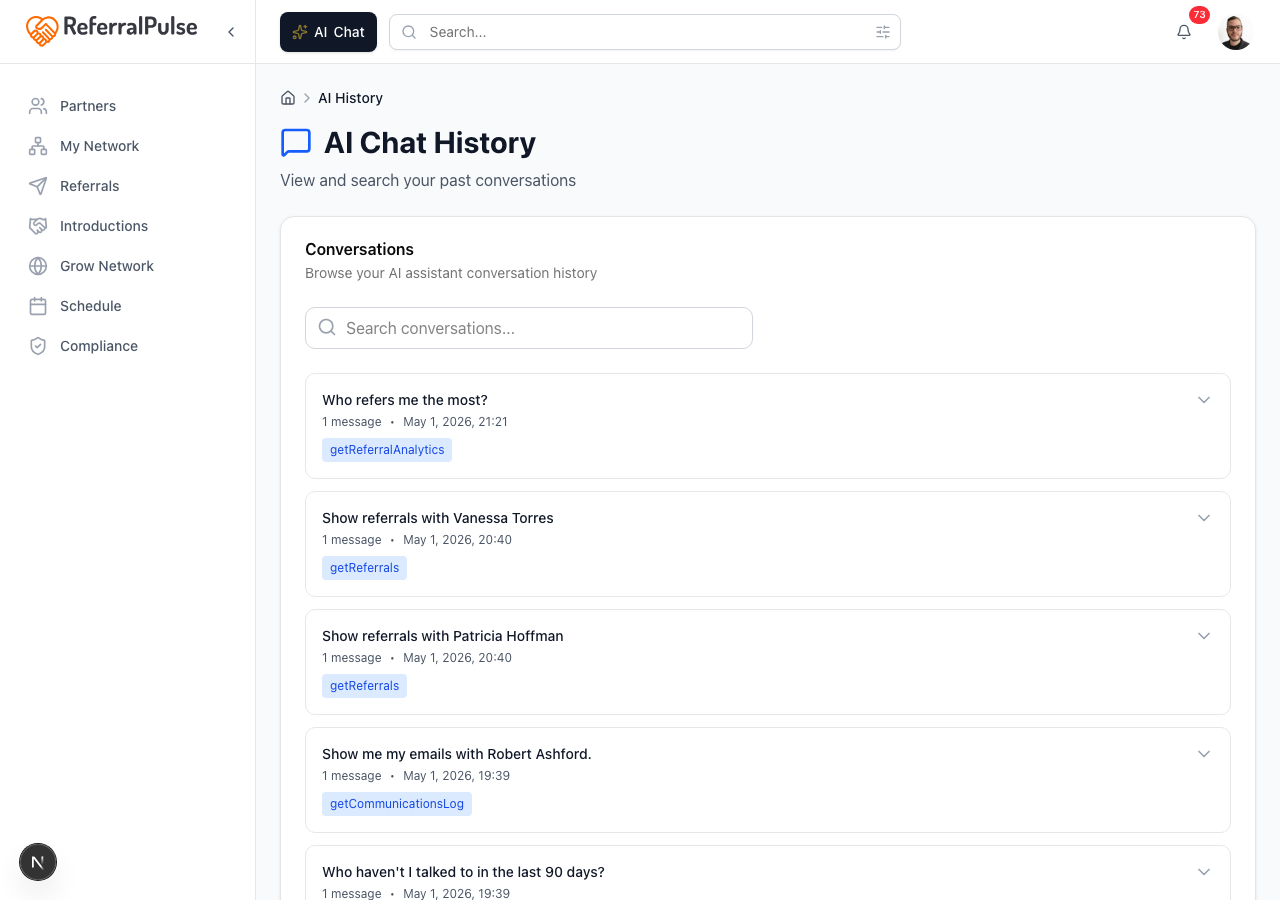
You can also reach past chats from inside the chat. The clock icon at the top right opens the same history panel. The trash icon next to it clears the current on-screen chat. The standalone history page at /dashboard/ai-history lists every conversation with a keyword search across their contents.
Conversations are private to your account. The assistant doesn't share content from your network with anyone outside your organization.
Help questions
Ask a how-to question and the assistant answers from this help center, with links to the articles it used:
How do I connect my calendar?
Follow-up questions stay in context, so "and Outlook?" after a Gmail question is understood.
Get more out of your assistant
The quality of your assistant's responses depends almost entirely on how complete your data is.
- Partner profiles. The more your partners' profiles say about who they are, what they do, and who they help, the better the intro drafts, partner suggestions, and answers to questions like "who should I connect Marcus to?" Especially valuable: the introduction paragraph, type of business, and desired referral partner types fields on each partner.
- Partner tiers. If you've organized partners into tiers, you can filter any query by tier and ask for tier-by-tier comparisons. The assistant uses your exact tier names.
- Referral history. Past referrals (sent and received, won and lost) feed the answers to analytics questions and the dormant-partner alerts. Even logging a dozen back-fills changes the quality of the recommendations.
- Your own profile. Your elevator pitch and ideal client shape every draft the assistant writes on your behalf. You can update both from chat.
- Conversation context. Within a single chat, the assistant remembers what you've already said. Across chats, each new conversation starts fresh.
If the assistant's draft emails or intro suggestions ever feel generic, it's almost always because partner profiles are sparse, not because the assistant got it wrong. Spending five minutes filling in introduction paragraphs and desired partner types on your top ten partners changes everything downstream.
On the iOS app
Where to find it: Bottom navigation → Chat tab (microphone icon).
The iOS chat is the same assistant with a more aggressive voice-first design. Tap the microphone, talk, and let go. Every reply that has a card on the web shows the same card on the phone, and the buttons on it work the same way. Draft emails still wait for you to tap Send.
Asking to open a page works on the phone as well. "Open my partners page" or "take me to my action plan" switches you to that screen inside the app.
Voice is hands-free in the car. After a coffee meeting you can dictate "add Marcus Johnson as a partner, financial advisor at Northstar Wealth, met him at the chamber breakfast Thursday, also send a referral to him for Becky Reyes who needs a 401k review at fifteen thousand budget" and the assistant handles both actions, asks for any missing emails at the end, and confirms once everything is saved.