Daily briefing
Your home page is your daily brief. It is the screen to open every morning for the first month, so you get into the habit of letting the app surface what to do instead of trying to hold every relationship in your head. It is a short worklist, not a chart wall, and every row carries an action so you can clear it without going anywhere.
Where to find it
Where to find it: It is the screen you land on after you sign in. Come back to it any time from Home at the top of the sidebar, or Action Items → Daily Briefing, which is the same place. On iOS it is the Briefing tab.
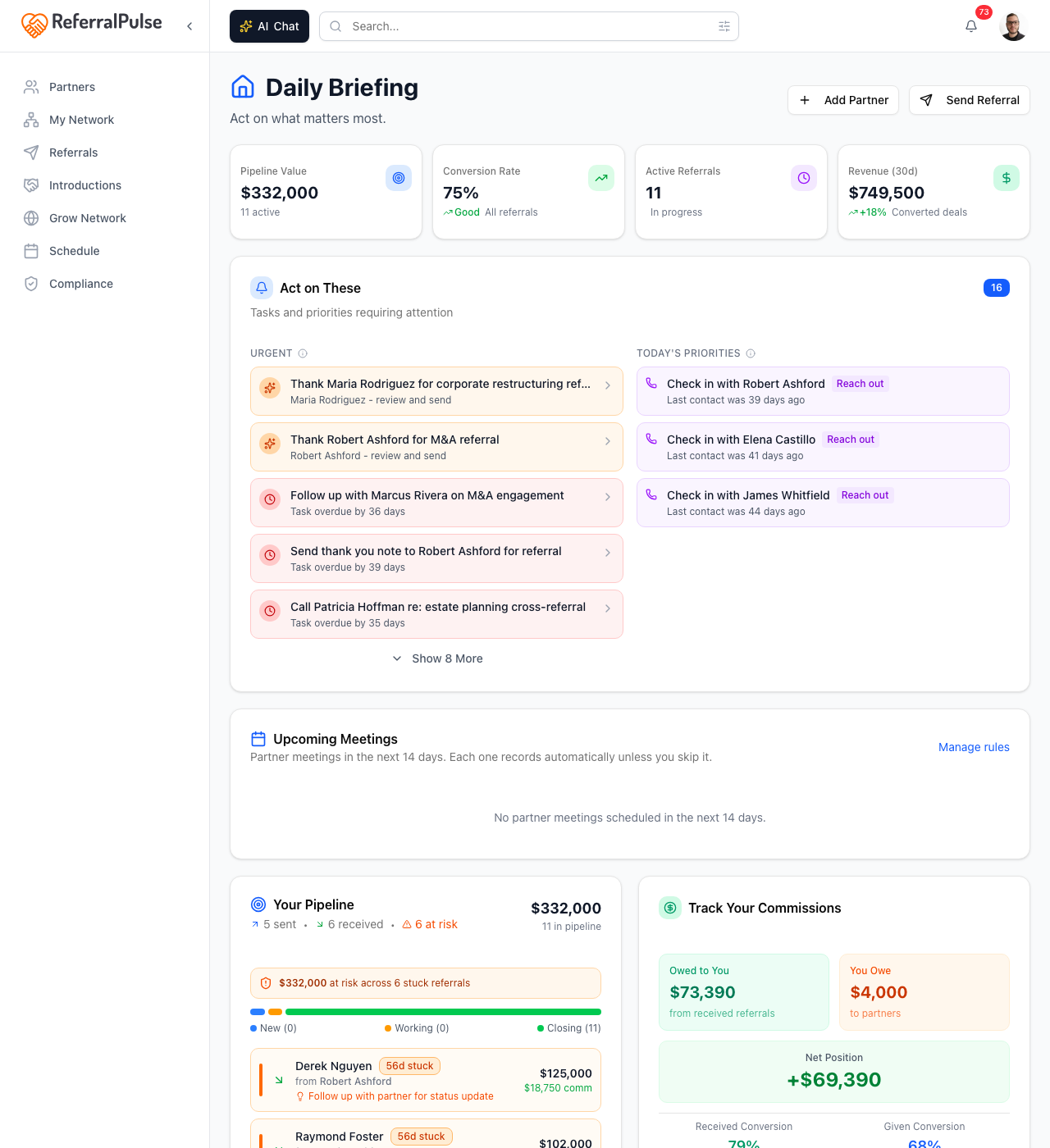
The page reads top to bottom:
- The greeting. Your name, your assistant's name, today's date, and a one-line count of what is waiting.
- The ask box. Type or say anything. It is the same assistant as everywhere else, already knowing whose account it is looking at.
- YOUR DAILY BRIEF, with a running count of how many groups you have cleared.
- Your network health. The state of your network before the list of things to do about it.
- The groups themselves, which only appear when they have something in them.
When there is nothing left, the brief says so rather than showing you empty cards.
Getting Set Up
Where to find it: The top of your home page on a new account. Once you have dismissed it, top right avatar → Setup guide brings it back.
On a new account, a Getting Set Up card sits at the top of the page and stays until your account is actually working. While it is there, the brief and the health reading wait: there is nothing honest to say about a network the app has just met. The card shows one of a few things depending on where you are:
- A scan in progress. If you have connected your mailbox, it reports live: the four stages of the scan on one track, each with a count as it goes.
- A finished scan. The card becomes Your Inbox Review Is Ready, with every stage checked and a Review what I found button.
- A review under way. Once you have sorted your first card it becomes Keep Going, a progress bar and a Keep reviewing button, and steps aside after your first ten cards. Anything still waiting moves into the brief as its own row.
- A scan that stopped early. It says so and offers to try again, and it keeps the manual routes on screen so you are never at a dead end.
- A checklist, when there is no mailbox connected or the scan found nothing: connect your email, upload a contact file, connect your CRM, forward an email to your assistant, or add a few partners by hand. Each row ticks itself off as the app can see it has been done.
The whole sequence, including the What Your Inbox Knows and Your Network Today cards that sit under it, is walked step by step in Your first week on ReferralPulse.
Connecting your email is still the fastest way in, because it finds the referrals and introductions you have already made rather than asking you to remember them. Nothing joins your network until you approve it.
Your network health
A reading at the top of the page grades your network and says what is behind the grade. It is the same reading you see next to the Network Map title and on Pulse, so the three never contradict each other. Read it as context for the list below, not as a task in itself. When it first appears on a new account it is titled Starting Point rather than graded, because a network the app has only just met has nowhere to go but up.
The groups
The brief is a stack of cards, each with an action on every row and one button to clear the whole card:
- Introductions you could make. Matches the app has on file. The action opens the composer with the partner already picked.
- Drafts ready to send. Thank-you notes for referrals you received, status updates for partners waiting to hear what happened, and reconnect notes. Review & send opens the draft editor in place. You always read a draft before it goes out.
- New alerts worth a glance. What has happened since you last looked, with Mark all read to clear them together.
- Partners gone quiet for 30+ days. People worth a note before the relationship cools. You can send to several at once and watch the progress, or dismiss anyone individually.
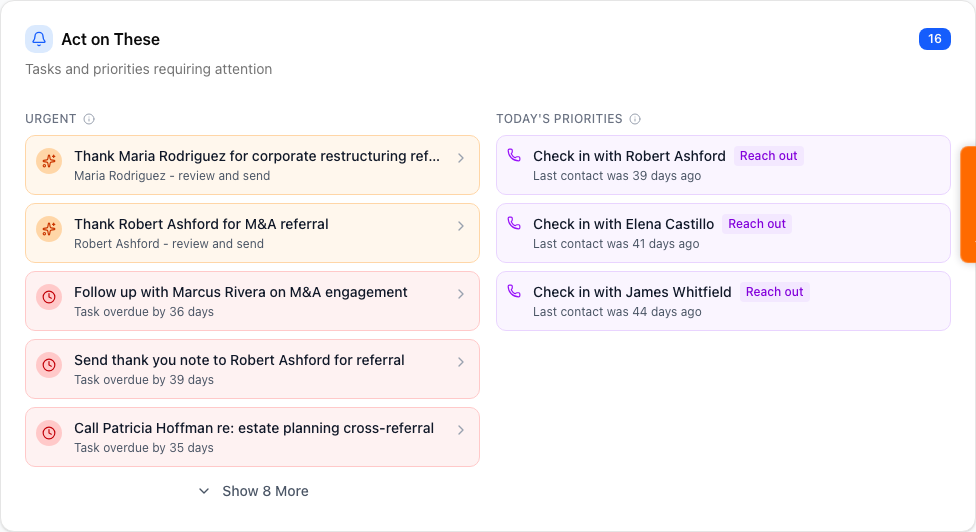
Each group is collapsed to a single line until you open it. Opening one shows the people or drafts behind the count, with a checkbox on every row and Select all at the top, so you can act on some of a group rather than all of it. The button on the collapsed header does the whole group at once when that is what you want.
Your meetings for the day sit in their own card, with a prep briefing where one is ready.
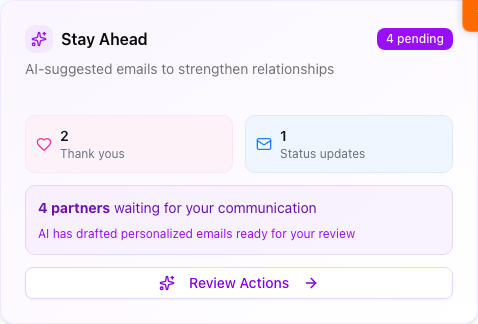
Dismissing a row shows a short Undo, so nothing is lost to a misclick.
Two minutes top to bottom every morning is the single highest-leverage habit in the app. It is what stops referrals going cold, and it is why the brief is a worklist rather than a dashboard.
Never nudge me about this partner
If a partner keeps appearing in the gone-quiet group and you would rather they did not, open them and use Never nudge me about them in their actions menu. They stay in your network and their history stays intact, they just stop showing up in the brief. The same menu turns it back on.
The briefing email
The same brief arrives by email, with the same sections in the same order, so if you read the email you have read the page. Every row links back into the app. Turn it on or off under Settings → Notifications.
Get more out of your assistant
The brief is only as sharp as what is behind it:
- Referral status accuracy. Marking referrals won, lost or declined as they resolve is what keeps "stuck" honest. One left open for months keeps surfacing forever.
- Logged activity. Logging an update, completing a task or recording a meeting all move the app's sense of when you last touched a partner. That is what makes the gone-quiet group land at the right moment rather than at random.
- Partner profiles. The richer the profile, the warmer the draft. A blank one produces generic prose.
On the iOS app
Where to find it: Bottom navigation → Briefing tab.
The mobile brief is the same worklist, sized for a phone. Tap a row to act on it, pull down to refresh. You can also just ask:
What's on my plate today?
Your assistant reads back what needs you, and you can act by saying things like "draft a thank-you to Sarah for that referral" or "mark the Watts referral as won."
Open it with your coffee. Two minutes sets the tone for the day. Open it again before bed for the first month, to be sure nothing is lingering.