Your network Pulse
Pulse is the weekly read on your referral network, and the shortest path from "how am I doing" to "here is what I would do about it". It looks at the last thirty days across your partners, referrals and introductions, tells you what changed, and hands you a ranked list of moves with the message already drafted for each one.
Where to find it
Where to find it: Sidebar → Strategy → Pulse tab. Direct URL: /dashboard/pulse.
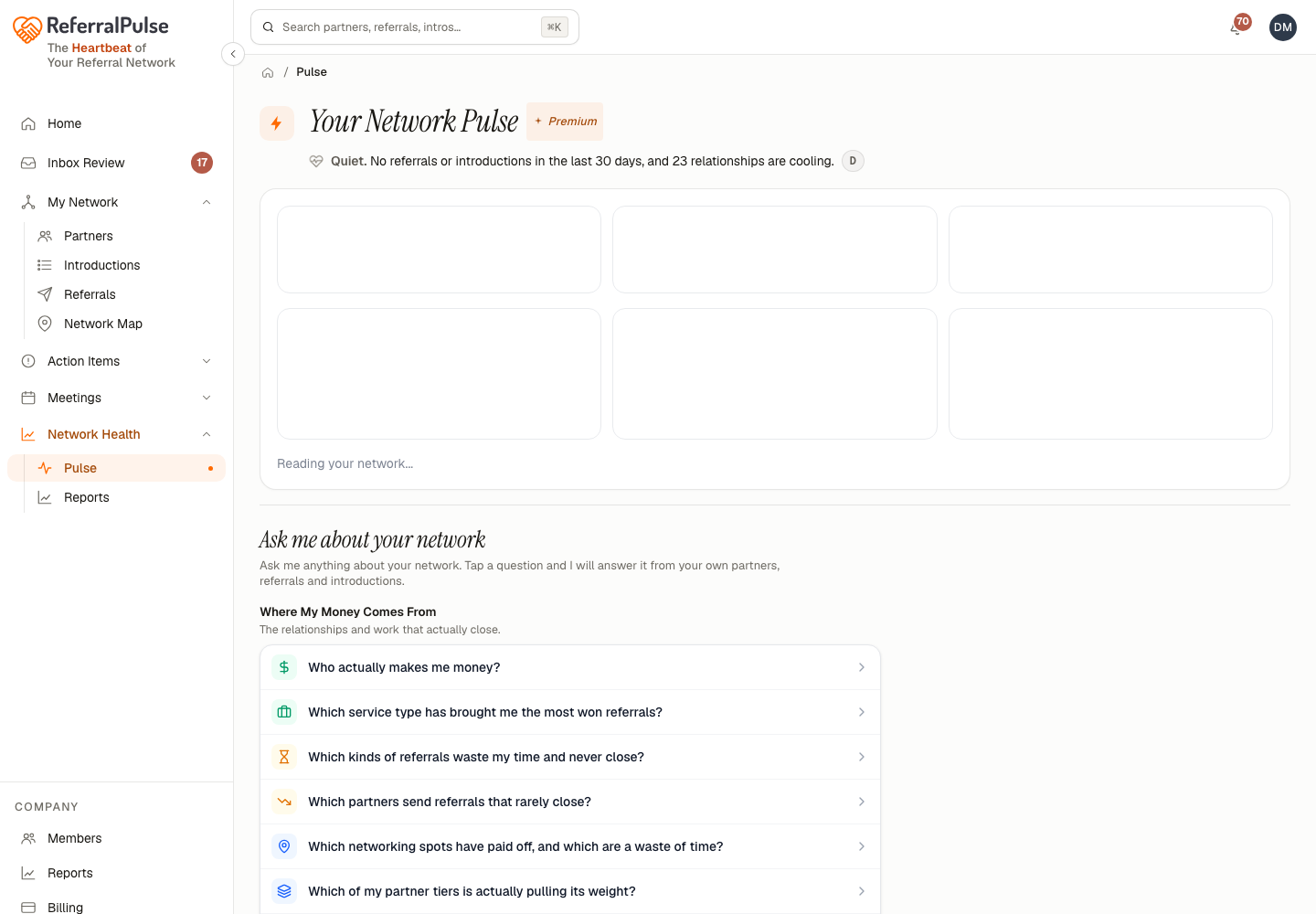
Under the title you get your reading: your network's condition in a word, plus the one fact behind it. It comes from the same grading that draws Network Health in the header (inside the My Rhythm card when your rhythm is on) and on the Network Map, so the three never disagree.
On Connector, Pulse opens with your own Network Health under YOUR DATA. Below it, the full report is drawn on a sample network marked SAMPLE DATA, with a card that shows what Producer adds. See what Pulse shows in the header card opens this view.
What Pulse tells you
Three tiles across the top compare the last thirty days to the thirty before it:
- Referrals Received
- Won Revenue
- Partners Added
A fourth, Tier Moves, appears when partners have moved up or down a tier in that window.
Below the tiles, everything is grouped into four sections, in the order your assistant would work them:
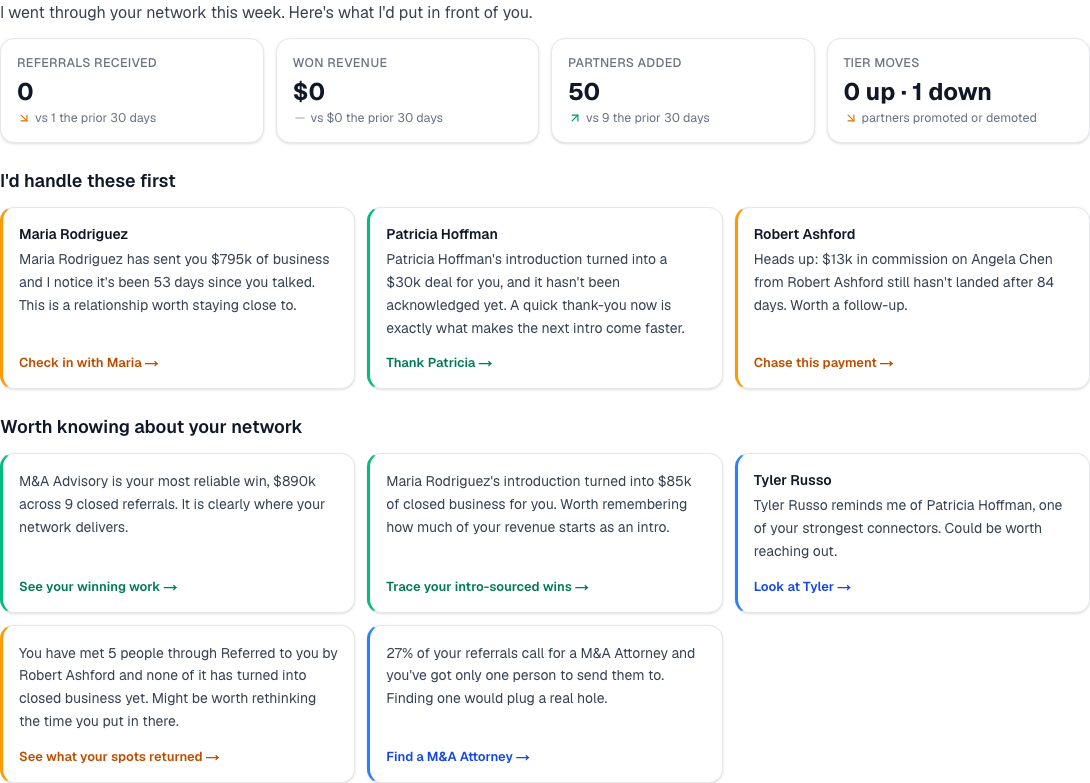
- I'd handle these first. The follow-ups that keep deals from going cold. Work top down.
- One move I'd make to grow your network. A single, specific growth play rather than a list, so it actually gets done.
- A personal touch goes a long way. Anniversaries, birthdays and quiet relationships worth a note that is not about business.
- Worth knowing about your network. The patterns you would not have gone looking for.
Cards that call for a message come with one already written. Open it, edit it, and send it without leaving the page. You review every draft before it goes anywhere.
Pulse is a weekly habit, not a daily one. It reads thirty days at a time, so opening it every morning shows you yesterday's list again. Once a week, top to bottom, is the rhythm it is built for.
Network Intelligence
Where to find it: Sidebar → Strategy → Intelligence tab, or the Network Intelligence button at the top of Pulse. Direct URL: /dashboard/ask.
Network Intelligence is a page of ready-made questions about your network, already answered from your own partners, referrals and introductions and grouped by what you are trying to work out. Open one and the answer is there; most of them also link to the step in your Action Plan that acts on it. Type anything the list does not cover and your assistant answers it the same way.
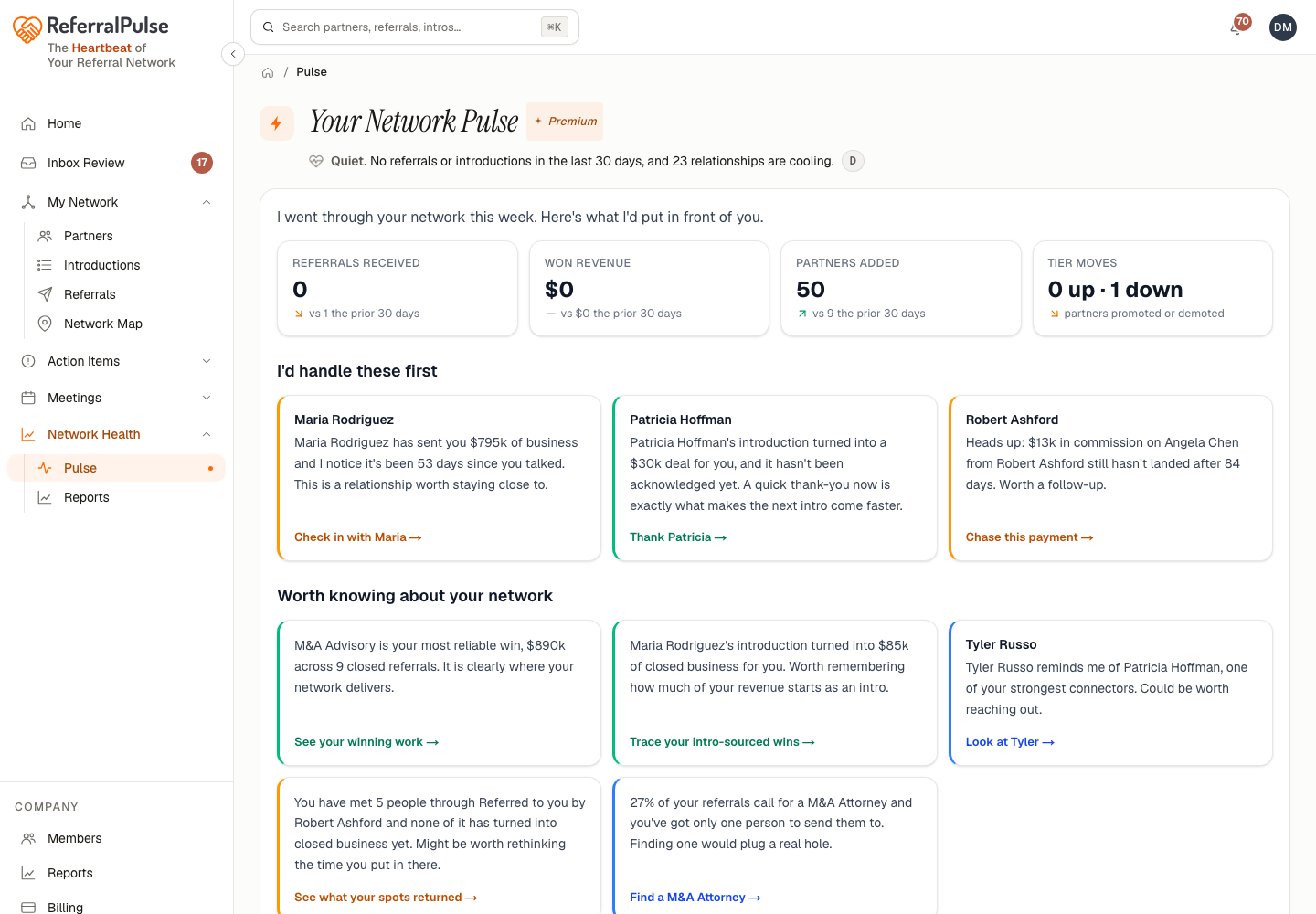
The groups are:
- Where My Money Comes From. The relationships and work that actually close.
- What's Changed. How your network has moved over the last month.
- Who's Slipping Away. Good partners going quiet before you lose them.
- Where You're Thin. Gaps in your network worth filling.
- Giving And Getting. Where the give-and-take has drifted out of balance.
- Your Best Connectors. The people whose introductions build your network.
- Worth A Personal Touch. Anniversaries and birthdays to reach out about.
- What Needs You Now. The follow-ups that keep deals from going cold.
Answers are drawn from your own data, never from generalities, and every one of them can be followed up in plain English in the same conversation.
Start with Who's Slipping Away. It is the question whose answer changes fastest, and the one where acting a week earlier makes the most difference.
Pulse and the rest of the app
Pulse is the "what should I do" layer. Two neighbours do different jobs:
- The Network Map shows you the shape of your network. Read it monthly.
- Tasks is your working queue of everything already waiting on you. Clear it daily or weekly.
Pulse sits between them: it turns the shape into a short list of moves, and the moves you accept land in your queue.
Get more out of your assistant
Pulse reads what is in the app, so a few things sharpen it:
- Keep referral outcomes current. Referrals left on Open forever make the money tiles and the follow-up list wrong at the same time.
- Log intros, including old ones. Connector rankings and the growth play both come from introduction history.
- Fill in the partner types you want to meet. That is what "Where You're Thin" measures against. Without it, the gaps section has nothing to compare your network to.
- Record your meetings. With a transcript, the personal-touch cards can reference something real rather than the calendar date.
On the iOS app
Where to find it: Ask your assistant, or open Pulse from the briefing.
Pulse works well on a phone because it is a stack of cards rather than a chart. The messages are the point, and sending one on the move is the whole idea.
Who's gone quiet in my network?
What should I do about my network this week?
The weekly Pulse email carries the same sections in the same order as the page. If you read the email, you have already read the page, and every card in it links back to the same place.